




Click Connections in the left navigation pane to display a list of all available connections and their current status in the Connections Grid. In the list, you can also click a connection and view its status in the Settings tab.
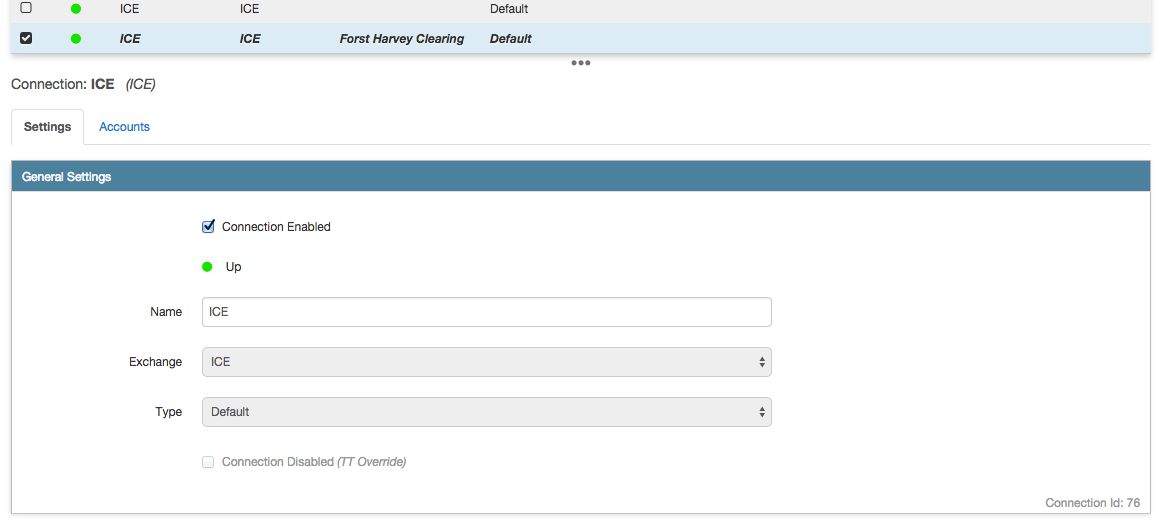
The connection indicator shows the status as follows:
- Green — The connection is up (active)
- Yellow — The connection is recovering and coming up (becoming active)
- Red — The connection is down (inactive)
Note:
The “down” status is also displayed if no routing account has been assigned to the connection
- White — The connection is not enabled in Setup