









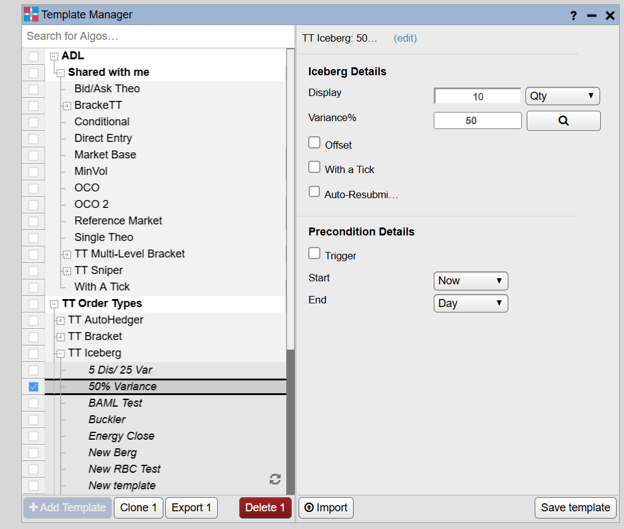
The Template Manager widget lets you quickly create, modify, and manage reusable templates for your trading algos. You can create new templates, clone and modify existing templates for different strategies, and organize templates across ADL, TT Order Types, and supported third-party algos, with import and export functionality for easy sharing, backup, and migration.
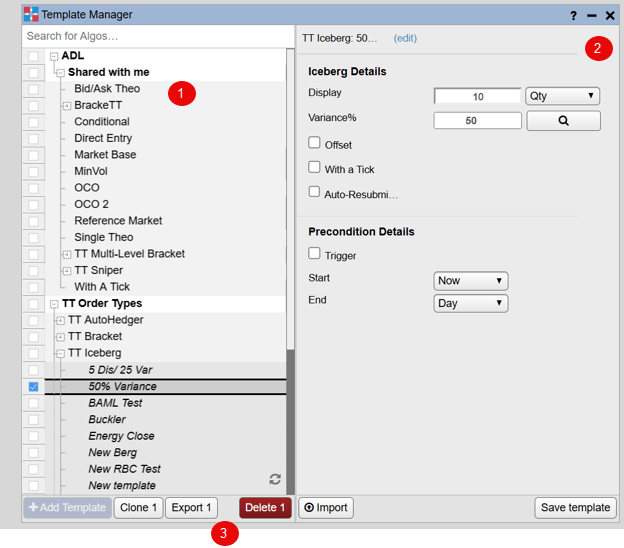
Template Manager display
The Template Manager displays all supported algos available to you, organized by category, including your ADL algos, TT Order Types, and supported third-party algos. It provides access to your own algos, algos shared with you, publicly available algos, and algos that are not currently deployed, allowing you to create and manage templates from a single location.
-
Algo Explorer pane: Displays supported algos organized by category, including ADL, TT Order Types, and third-party algos. Within the ADL category, algos are further organized into My Algos and Shared with Me, with any templates associated with each algo displayed beneath it.
-
Algo parameters pane: Shows parameters for the selected algo template
-
Template management controls: Performs actions for selected algos or templates
- Clone
- Delete
- Save template
- Import/Export
- When uploading templates into TT, the .csv file must adhere to the following rules:
- Files must be saved as plain text format.
- The filename must use a .csv file extension.
- Data fields must be comma delimited.
- Spaces after commas (for readability) are allowed.
- The .csv file can contain a maximum of 1000 order rows, as follows:
- Row 1 must be the header fields, as follows:
- The row must contain columns for all fields used by any of the orders.
- The header column names must exactly match the field names, including capitalization.
- The field columns can be arranged in any order, but the data within a column must match the value expected by the column header.
- Must have all relevant algo fields as a column header.
- When uploading templates into TT, the .csv file must adhere to the following rules:
Note: TT strongly advises using a basic text editor when editing these files. Using applications such as Excel may result in unintended data transformations.
Note: To simplify the creation of these files, TT recommends that clients consider creating and exporting a sample template for a given algo, and then using the resultant file to generate further templates.