






Use the optional grouping panel to organize order records into a nested hierarchy based on selected fields. Select a group in the tree to display the orders assigned to that group.
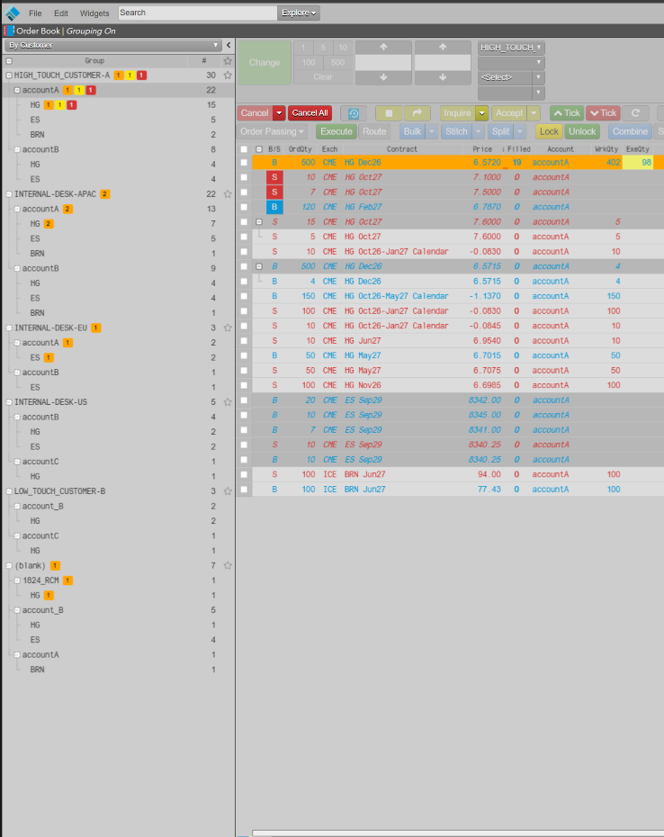
The panel is hidden by default and can be displayed using the widget right-click show/hide control.
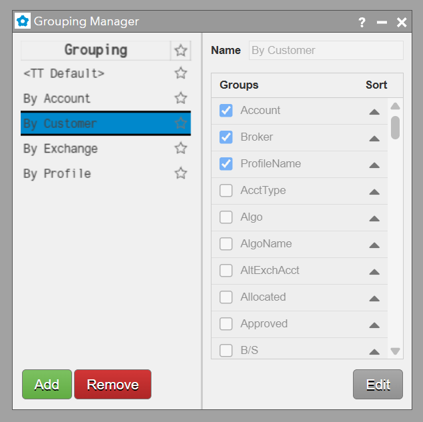
Groups are created and defined using the Grouping Manager widget available from the main Edit menu.
Color Callout Tags
To make these orders more easily accessible for taking needed actions, color callout tags highlight the respective orders:
- Pending Pass: Background = Pending Pass color (orange), Text= Black
- Modification Request: Background= Change button color (yellow), Text= Black
- Cancel Request= Background= Cancel button color (red), Text= White.